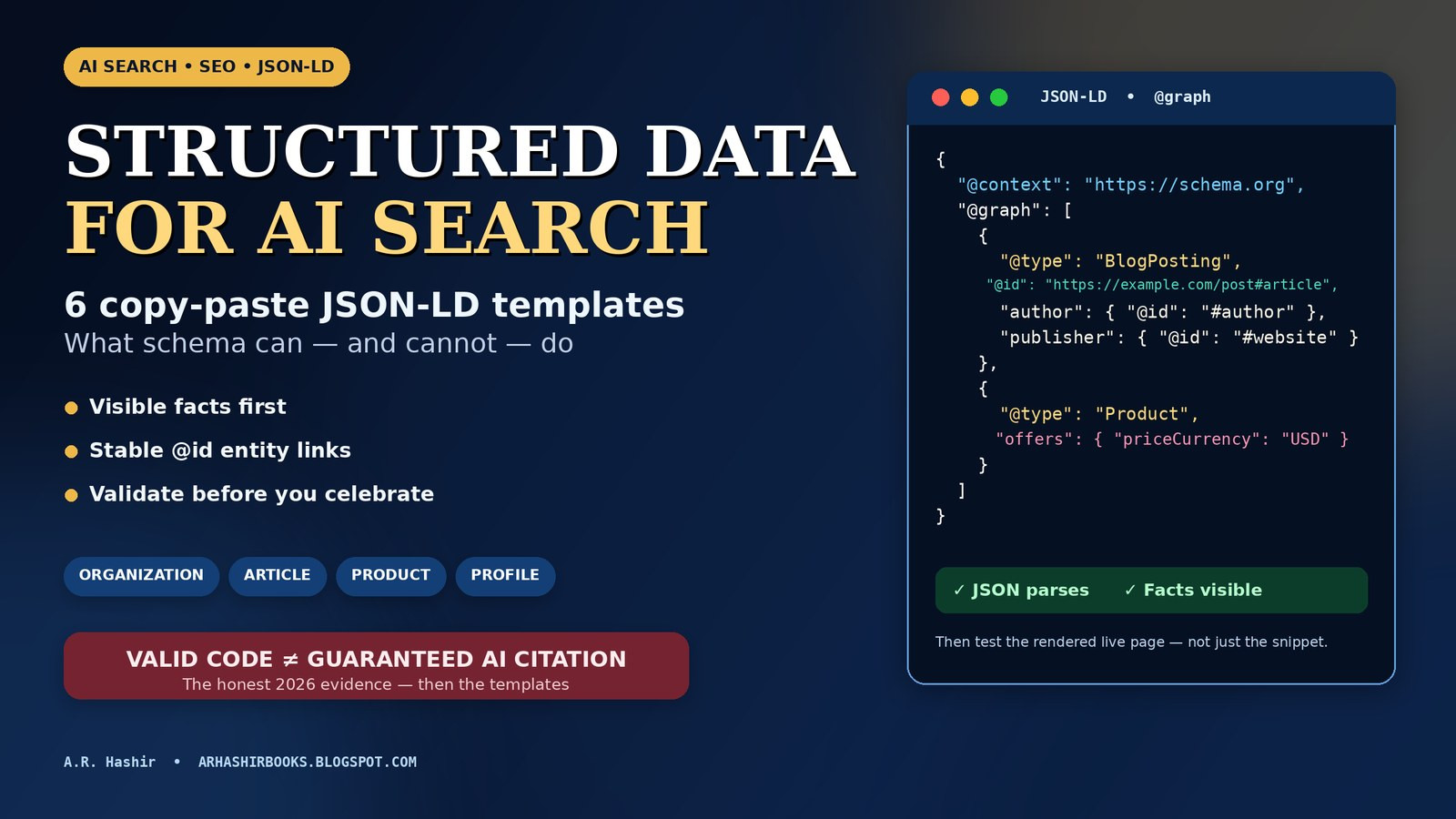
By A.R. Hashir • Last reviewed: 31 October 2026 • Practical implementation guide — structured data is not a ranking, citation or sales guarantee
Short answer: Structured data is a clarity layer, not an AI-citation switch. Use JSON-LD to identify the site, author, article, product and page hierarchy behind facts that are already visible on the page. Do not expect schema to rescue a page that cannot be crawled, does not answer the searcher’s problem, or makes claims no one can verify. Google says no special “AI schema” is required, and the best causal evidence available in 2026 found no meaningful AI-citation lift from adding JSON-LD by itself.
That is not a reason to skip structured data. It is a reason to implement it for the jobs it actually performs: entity disambiguation, cleaner machine-readable facts, and eligibility for supported search features. This guide gives you six adaptable JSON-LD templates, a safe way to connect them with stable @id values, a five-pass validation workflow, and a Blogger/Blogspot worked example based on this site’s live HTML.
Your JSON-LD can validate perfectly while ChatGPT, Perplexity and Google AI Overviews still ignore the page. I see this misunderstanding everywhere: a site owner pastes a green-check schema block into a weak page, waits for “AI visibility,” and concludes that structured data is either magic or useless. It is neither.
The useful question is narrower: Which facts are machines likely to misunderstand on this page, and can I label those facts accurately without hiding anything from human readers? If the answer is yes, structured data earns its place. If the underlying problem is crawl access, thin content, unclear authorship, no original evidence or no search demand, schema is not the repair.
If you do not yet know whether your visibility problem begins before schema, run the diagnostic in my AI visibility audit first. That guide separates discovery, indexing, retrieval, source selection and citation. This article starts after that triage and focuses on implementation.
What this guide can do: help you choose the right schema type, connect entities consistently, avoid spammy markup and validate the live rendered page. What it cannot do: guarantee indexing, a rich result, an AI Overview link, a ChatGPT citation, traffic or a purchase.
On this page
- Does schema help AI search? The honest evidence
- Structured data, schema and JSON-LD: three different jobs
- What structured data can and cannot do
- Start with visible facts, not code
- Choose schema by the page’s job
- The entity graph:
@id,@graphandsameAs - 6 JSON-LD templates you can copy and adapt
- How to combine templates without creating schema soup
- Validate in five passes
- Blogger and Blogspot: a live worked example
- 12 structured-data mistakes that waste time or create risk
- A safe 7-day implementation plan
- Measure the outcomes schema can actually affect
- Schema is one layer: the complete Gumroad implementation vault
- Frequently asked questions
- Sources and method
Does schema help AI search? The honest evidence
Schema markup is often sold as the bridge between a normal web page and an AI answer. The pitch is seductive: add a few lines of JSON-LD, tell the model exactly what your business is, and get cited. The evidence supports a much narrower claim.
What Google says
Google’s current guidance for generative AI features says structured data is not required for generative AI search and there is no special schema.org markup to add. Google still recommends structured data as part of an overall SEO strategy because it can help pages become eligible for rich results in Google Search.
That distinction matters. “Eligible for a supported feature” is not the same as “selected as a source for an AI-generated answer.” A page still needs to be crawlable, indexable and useful enough for the underlying query. Structured data can describe the page more explicitly; it cannot give the page a better answer than the one a human can read.
What the 1,885-page study found
Ahrefs first analyzed 6 million URLs and found that pages cited by AI systems were almost three times more likely to contain JSON-LD than pages that were not cited. That correlation is easy to share and easy to misread. Sites disciplined enough to maintain schema are often also disciplined about technical SEO, internal linking, original content and updating important pages.
Ahrefs then tracked 1,885 pages that added JSON-LD between August 2025 and March 2026, compared them with 4,000 matched control pages, and measured citations for 30 days before and after the change. The result was not a schema-powered lift:
The study does not prove that every schema type is worthless, that longer-term entity benefits are impossible, or that Microsoft and other systems must behave exactly like the three surfaces measured. It does something more valuable: it removes the basis for promising that a JSON-LD paste will produce AI citations.
Why implement structured data anyway?
- Entity clarity: A search system should not have to guess whether “A.R. Hashir” is the author, publisher, product brand or a random phrase in a paragraph.
- Supported presentation: Product, Article, Breadcrumb, Organization and other supported types can make a page eligible for richer treatment where Google offers that feature.
- Maintenance discipline: A schema inventory forces you to keep names, prices, dates, author pages and canonical URLs consistent.
- Error detection: Validators and Search Console enhancement reports expose conflicts that human readers may miss.
- Future-proof facts: A visible page plus a precise machine-readable summary is easier for new parsers, shopping systems and search features to interpret than prose alone.
The rule I use: Implement structured data because the facts matter, not because a vendor promised citations. If schema is cheap, accurate and maintainable, do it. If it takes priority over crawl access, evidence, page structure or internal links, the priority order is wrong.
Structured data, schema and JSON-LD: three different jobs
These terms are often used as if they were interchangeable. Separating them prevents bad implementation decisions.
Google also supports Microdata and RDFa, but new manual work is normally easier to review as JSON-LD because the data is separated from presentation HTML. That separation is also its main danger: the JSON can quietly drift away from what visitors see after a price change, a headline edit or a template redesign. Validation must therefore compare code with the rendered page, not merely check commas.
What structured data can and cannot do
Think of the visible page as the testimony and JSON-LD as the labeled evidence index. An index helps a reader find and interpret the evidence. It does not create evidence that is missing from the record.
Start with visible facts, not code
Google’s general structured-data guidelines are blunt: do not mark up content that is not visible to readers, and do not use markup for irrelevant or misleading claims such as fake reviews. Before opening a code editor, create a fact ledger for the page.
The visible-parity test
- Open the page as a visitor, not in the CMS editor.
- Highlight every value you plan to put in JSON-LD.
- Delete any value a visitor cannot find or verify from the page and its clearly linked official destination.
- Check spelling, currency, date format, time zone and price against the visible and checkout versions.
- Only then choose the schema type.
This order also protects conversions. A reader who sees one price in an article and another price at checkout does not think, “Interesting structured-data mismatch.” They think the seller is careless. Machines are not the only audience for consistency.
Choose schema by the page’s job

Do not ask, “How many schema types can I add?” Ask, “What is this page, and what is the primary thing it describes?” One accurate primary entity is better than five loosely related types pasted together.
The FAQ row deserves emphasis because old advice is everywhere. Google’s documentation updates state that the FAQ rich-result feature was deprecated and no longer appears in Google Search starting 7 May 2026. You can still publish useful questions and answers for readers, and a valid FAQPage vocabulary type still exists in Schema.org. But in late 2026, adding it for an expandable Google result or a promised AI citation is chasing a retired feature.
Types to prioritize for a creator or digital-product site
- Site identity — one brand/creator entity and one website entity.
- Article identity — accurate headline, dates, image and linked author.
- Author profile — a real About page that other templates can reference.
- Product facts — current editions, prices and availability on the seller-controlled page.
- Hierarchy and catalog relationships — breadcrumbs or lists only where the visible site actually works that way.
LocalBusiness, Event, Recipe, Course, JobPosting, SoftwareApplication and other specialized types should be used only when the page genuinely is that thing and you can satisfy the current feature-specific documentation. More types do not create more authority.
The entity graph: @id, @graph and sameAs
A single JSON-LD object can describe one thing. Real pages usually contain several related things: a web page, an article, a person, a publisher and perhaps a product. JSON-LD lets you connect them instead of repeating slightly different descriptions.
@id: give important entities a stable address
An @id is an identifier for an entity in the graph. It often looks like a canonical URL plus a fragment:
https://example.com/#organizationhttps://example.com/about/#authorhttps://example.com/blog/example-guide/#articlehttps://example.com/products/example-vault/#product
Once defined, another object can reference it with {"@id": "https://example.com/about/#author"}. The benefit is consistency: the author’s name, profile URL and biography live in one canonical description instead of drifting across 200 articles.
@graph: publish related nodes together
@graph is an array of entities in one JSON-LD block. It is useful for site identity (Organization + WebSite) or a page graph (WebPage + BlogPosting + BreadcrumbList). It is not a container for unrelated wishes. Every node should describe something present on, or directly responsible for, the page.
sameAs: point to authoritative identity pages
sameAs should contain official pages that identify the same person or organization: an author’s Amazon author page, Gumroad creator profile, LinkedIn profile, GitHub profile or another page the entity controls. Do not fill it with fan pages, search results, unrelated social accounts or every profile that happens to share a name.
mainEntityOfPage and mainEntity: name the main subject
For an article, mainEntityOfPage connects the article to its canonical web page. For a profile page, mainEntity identifies the person or organization the profile is about. These relationships help a parser separate the page as a document from the thing the document describes.
The templates below use example.com placeholders. Replacing the domain is not enough. Every name, date, image, URL, price and profile must become your visible fact—or be deleted.
6 JSON-LD templates you can copy and adapt
These are starting points, not paste-and-forget snippets. Replace every placeholder, delete optional fields you cannot support visibly, and test the exact page where the code will live. If your CMS or SEO plugin already emits one of these types, improve or configure the existing output instead of adding a duplicate.
Do not publish these examples unchanged. example.com, “Example Studio,” sample dates, sample images and sample prices are placeholders. Publishing them would create false entity data. Also remove any @id reference whose full entity is not defined in the same graph or generated reliably by your site template.
Template 1: Site identity — Organization + WebSite
Use on: the homepage or through the site template, according to your CMS architecture and Google’s Organization guidance. Job: identify the accountable brand and the website it publishes.
<script type="application/ld+json">
{
  "@context": "https://schema.org",
  "@graph": [
    {
      "@type": "Organization",
      "@id": "https://example.com/#organization",
      "name": "Example Studio",
      "url": "https://example.com/",
      "logo": {
        "@type": "ImageObject",
        "url": "https://example.com/images/logo.png"
      },
      "sameAs": [
        "https://www.linkedin.com/company/example-studio"
      ]
    },
    {
      "@type": "WebSite",
      "@id": "https://example.com/#website",
      "url": "https://example.com/",
      "name": "Example Studio",
      "publisher": {
        "@id": "https://example.com/#organization"
      },
      "inLanguage": "en-US"
    }
  ]
}
</script>- Do not invent an organization for a solo pen name or personal creator brand. If the accountable entity is a person, model that person truthfully and connect the website to the Person node your template defines.
- Use only official
sameAsprofiles. Remove the field if you have none worth declaring. - Do not add a
SearchActionunless the site has a working search endpoint that behaves exactly as described. - If you are not a local business, do not add a street address, opening hours or service area for decoration.
Template 2: Blog article — BlogPosting + linked author
Use on: a blog post generated by your article template. Job: identify the exact article, its canonical page, image, dates, author and publisher.
<script type="application/ld+json">
{
  "@context": "https://schema.org",
  "@type": "BlogPosting",
  "@id": "https://example.com/blog/example-guide/#article",
  "mainEntityOfPage": {
    "@type": "WebPage",
    "@id": "https://example.com/blog/example-guide/"
  },
  "headline": "Exact visible article headline",
  "description": "A one- or two-sentence summary supported by the article.",
  "image": [
    "https://example.com/images/example-guide-16x9.jpg"
  ],
  "datePublished": "2026-10-31T09:00:00-04:00",
  "dateModified": "2026-10-31T11:30:00-04:00",
  "author": {
    "@type": "Person",
    "@id": "https://example.com/about/#author",
    "name": "Jordan Writer",
    "url": "https://example.com/about/"
  },
  "publisher": {
    "@type": "Organization",
    "@id": "https://example.com/#organization",
    "name": "Example Studio",
    "url": "https://example.com/"
  },
  "inLanguage": "en-US",
  "about": [
    {
      "@type": "Thing",
      "name": "Structured data"
    }
  ]
}
</script>- Use the exact visible headline and the canonical URL without tracking parameters.
- Use ISO 8601 dates. Include a time zone when the exact publication or revision time matters.
- Update
dateModifiedonly for a meaningful revision. Do not refresh it daily to imitate freshness. - Link the author to a real profile page. A name with no evidence is better than a fake identity, but it is a weak entity signal.
- If several people wrote the article, include all visible authors instead of crediting only the most senior person.
- Do not label an evergreen guide as
NewsArticlemerely because news sounds more important.
Template 3: Creator profile — ProfilePage + Person
Use on: a substantive About or author profile page. Job: give the author referenced by articles a stable, visible identity.
<script type="application/ld+json">
{
  "@context": "https://schema.org",
  "@type": "ProfilePage",
  "@id": "https://example.com/about/#profile",
  "url": "https://example.com/about/",
  "name": "About Jordan Writer",
  "dateModified": "2026-10-31T11:30:00-04:00",
  "mainEntity": {
    "@type": "Person",
    "@id": "https://example.com/about/#author",
    "name": "Jordan Writer",
    "url": "https://example.com/about/",
    "jobTitle": "Technical writer",
    "description": "Jordan Writer writes practical guides about search visibility, documentation systems and digital publishing.",
    "image": "https://example.com/images/jordan-writer.jpg",
    "sameAs": [
      "https://www.linkedin.com/in/jordan-writer",
      "https://github.com/jordan-writer"
    ]
  }
}
</script>- The biography, role, image and profile links in the JSON should be visible or clearly supported on the About page.
- Use the same author
@idhere and in Template 2. - Do not add follower counts, awards, employers or credentials unless they are current and visible.
- A pen name can be a legitimate public identity, but do not attach another person’s photograph, biography or profiles to it.
Template 4: Digital product — Product + two Offers
Use on: a seller-controlled page focused on one product or a clearly related set of editions. Job: state what is sold, who sells it, what each edition costs, and whether it is available.
<script type="application/ld+json">
{
  "@context": "https://schema.org",
  "@type": "Product",
  "@id": "https://example.com/products/ai-search-vault/#product",
  "name": "AI Search Implementation Vault",
  "description": "A downloadable handbook and implementation pack for auditing crawl access, page structure, entity clarity, structured data and AI-search measurement.",
  "url": "https://example.com/products/ai-search-vault/",
  "image": [
    "https://example.com/images/ai-search-vault-cover.jpg"
  ],
  "brand": {
    "@type": "Brand",
    "name": "Example Studio"
  },
  "category": "Digital download",
  "offers": [
    {
      "@type": "Offer",
      "name": "Core Edition",
      "url": "https://store.example.com/ai-search-vault-core",
      "priceCurrency": "USD",
      "price": 15,
      "availability": "https://schema.org/InStock",
      "itemCondition": "https://schema.org/NewCondition",
      "seller": {
        "@type": "Organization",
        "@id": "https://example.com/#organization",
        "name": "Example Studio"
      }
    },
    {
      "@type": "Offer",
      "name": "Complete Edition",
      "url": "https://store.example.com/ai-search-vault-complete",
      "priceCurrency": "USD",
      "price": 24,
      "availability": "https://schema.org/InStock",
      "itemCondition": "https://schema.org/NewCondition",
      "seller": {
        "@type": "Organization",
        "@id": "https://example.com/#organization",
        "name": "Example Studio"
      }
    }
  ]
}
</script>- Do not add
aggregateRatingorReviewunless the reviews are real, visible and eligible under the current feature rules. - Do not invent a SKU, GTIN, MPN, discount, “was” price or end date.
- If the editions are materially different variants or separate products, model and test them according to Google’s current product-variant guidance instead of forcing them into one generic block.
- If checkout happens on Gumroad, Shopify or another platform you do not control, place and maintain the markup on your own product page; verify that the visible price, edition contents and refund policy still match the checkout destination.
- For physical products and merchant listings, shipping and return-policy requirements may also apply. A passing Product snippet test is not automatically a complete merchant-listing implementation.
Template 5: Breadcrumb — BreadcrumbList
Use on: pages inside a real, stable site hierarchy. Job: state where the page sits so users and search engines can understand the path.
<script type="application/ld+json">
{
  "@context": "https://schema.org",
  "@type": "BreadcrumbList",
  "itemListElement": [
    {
      "@type": "ListItem",
      "position": 1,
      "name": "Home",
      "item": "https://example.com/"
    },
    {
      "@type": "ListItem",
      "position": 2,
      "name": "Guides",
      "item": "https://example.com/guides/"
    },
    {
      "@type": "ListItem",
      "position": 3,
      "name": "Structured Data for AI Search",
      "item": "https://example.com/guides/structured-data-ai-search/"
    }
  ]
}
</script>- Use absolute canonical URLs and the same names visitors see in navigation or headings.
- Do not turn Blogger labels, WordPress tags or internal campaign groupings into a fake hierarchy.
- If a page can be reached through several meaningful trails, choose the primary information architecture and keep it consistent.
- Visible breadcrumbs are the safest implementation because the markup then obviously describes the page experience.
Template 6: Product catalog — ItemList
Use on: a visible catalog page listing a small, stable set of products. Job: describe the list and its order; it does not turn a catalog into a single-product landing page.
<script type="application/ld+json">
{
  "@context": "https://schema.org",
  "@type": "ItemList",
  "@id": "https://example.com/digital-products/#catalog",
  "name": "Digital products by Example Studio",
  "numberOfItems": 2,
  "itemListElement": [
    {
      "@type": "ListItem",
      "position": 1,
      "item": {
        "@type": "Product",
        "@id": "https://example.com/products/ai-search-vault/#product",
        "name": "AI Search Implementation Vault",
        "url": "https://example.com/products/ai-search-vault/",
        "offers": {
          "@type": "Offer",
          "url": "https://store.example.com/ai-search-vault",
          "priceCurrency": "USD",
          "price": 15,
          "availability": "https://schema.org/InStock"
        }
      }
    },
    {
      "@type": "ListItem",
      "position": 2,
      "item": {
        "@type": "Product",
        "@id": "https://example.com/products/ai-search-checklist/#product",
        "name": "AI Search Readiness Checklist",
        "url": "https://example.com/products/ai-search-checklist/",
        "offers": {
          "@type": "Offer",
          "url": "https://store.example.com/ai-search-checklist",
          "priceCurrency": "USD",
          "price": 0,
          "availability": "https://schema.org/InStock"
        }
      }
    }
  ]
}
</script>- The order and prices must match the visible catalog at the time the page is crawled.
- Do not hide a long, constantly changing inventory in a hand-maintained block. Generate it from the same data source as the page, or omit offers and keep the list simpler.
- Do not promise a Google carousel or product rich result from a generic
ItemList. Feature eligibility depends on the supported type, page pattern and current documentation. - For “pay what you want” products, verify how the visible pricing model should be represented before choosing a zero price; do not silently convert a suggested contribution into a fixed free offer if the page says otherwise.
How to combine templates without creating schema soup
The templates are modular, but they are not ingredients to dump into every page. Build the smallest graph that answers the page’s identity questions.
Graph assembly rules
- One entity, one stable identity. Do not define the author at
#author,#personand/about-me/#mein different templates. - Define before referencing. If an article references
#organization, the full Organization node must be emitted by the same graph or a reliable sitewide template. - Prefer generation over hand-editing. Headline, canonical URL, image, dates and prices should come from the same source that renders the page.
- Keep platform output. If your CMS already produces a valid Article block, configure its author/publisher fields before writing a replacement.
- Use server-rendered initial HTML where practical. Google can process dynamically inserted JSON-LD, but initial HTML is easier to inspect and less likely to disappear after a script or hydration failure.
- Do not paste page-specific code sitewide. A Product block in a global footer does not become true on every page.
- Retest after every theme/plugin change. Structured data often breaks silently during redesigns because nobody sees it.
Multiple JSON-LD blocks are allowed, but a coherent graph is easier to audit than five disconnected blocks with conflicting names and dates. The format permits complexity; your maintenance process may not.
Validate in five passes

Validation is not one button. Each pass answers a different question, and skipping the first two is how technically valid nonsense reaches production.
Pass 1: Inventory what the page already emits
Fetch the live canonical URL and list every JSON-LD, Microdata and RDFa item already produced by the CMS, theme, SEO plugin, commerce platform and tag manager. Record the type, @id, headline/name, dates, author, publisher, image and offer facts. On a homepage that lists posts, several legitimate Article items may exist. On a single article, two competing BlogPosting descriptions are a warning sign.
Pass 2: Compare the code with the rendered page
Open the rendered desktop and mobile page beside the structured data. Confirm the headline, description, author, dates, product names, editions, prices, availability, refund or license claims and image. Follow offer URLs to checkout. If the visible page and checkout disagree, fix the source of truth before touching JSON-LD.
Pass 3: Parse the syntax and resolve the graph
Run the block through a JSON parser and the Schema.org Markup Validator. Fix commas, quotation marks, trailing commas, unescaped characters and leftover placeholders. Then trace every @id: each reference should lead to one full node with the same name and URL wherever it is used.
Pass 4: Test feature eligibility on the live URL
Use Google’s Rich Results Test on the live rendered URL, not only a pasted code fragment. Read errors and warnings by feature. A Schema.org-valid type may have no corresponding Google rich result, and a supported type may still fail because a required property, image or page pattern is missing.
Pass 5: Monitor after Google recrawls
After deployment, use URL Inspection and the relevant Search Console enhancement reports to see what Google detected. Add the deployment date to your analytics annotations. Recheck after theme, plugin, product-price and author-page changes. Structured data is maintained data; “set and forget” is how it becomes false.
Deployment rule: Change one template or page family at a time, keep a copy of the previous working output, and test the rendered URL before rolling the change across the whole site.
Blogger and Blogspot: a live worked example
Most schema tutorials assume WordPress or direct template control. Blogger is less flexible, so inventory matters even more. On 31 October 2026, I fetched and parsed the live HTML for this site’s homepage, Post 3, Post 5, Digital Products page and About page.
This does not mean the site is broken. The pages have visible bylines, linked author information, canonical URLs, titles, descriptions, images and readable product facts. It means the first structured-data task on Blogger is not “add more.” It is “know exactly what the platform already says.”
Safe Blogger sequence
- Keep post titles, custom permalinks, search descriptions, bylines, featured images and dates accurate; Blogger uses page data in its automatic output.
- Link the visible byline to a substantive About page instead of relying only on a name string.
- Do not paste static Article JSON-LD into every post body. It will age, duplicate the platform block and become wrong after edits.
- Treat theme-level JSON-LD as code surgery: download a theme backup, make one scoped change, preview desktop/mobile output, inspect the rendered source, then run validators.
- Never copy a Blogger XML snippet that hard-codes every post’s headline, date or image. Dynamic fields must come from the correct Blogger data tags and be tested on home, post, page, archive and mobile views.
- For Gumroad products, keep the seller-controlled Digital Products page accurate; you cannot edit Gumroad’s checkout HTML, and you do not need to.
The code blocks in this article are documentation examples. They are not installed as six live schema blocks on this page merely because you can read them here. That distinction—visible example versus executable page data—is exactly the kind of confusion a careful inventory prevents.
12 structured-data mistakes that waste time or create risk
A safe 7-day implementation plan
For a small creator, publisher or digital-product site, one focused week is enough to build a maintainable baseline. The goal is fewer, better entities—not a schema badge collection.
If the inventory reveals blocked crawlers, canonical errors, missing author pages or pages that do not answer their target query, move those repairs ahead of Days 3–5. Schema is the label on the system, not a substitute for building it.
Measure the outcomes schema can actually affect
Do not judge a schema deployment only by asking ChatGPT a few prompts the next morning. AI answers vary by model, region, session, retrieval set and time. Measure the chain from technical detection to business result.
A cleaner before-and-after test
- Record at least 14 days of baseline data for the page family you will change.
- Deploy one schema change and avoid simultaneous headline, price and content rewrites on the test pages.
- Annotate the deployment date, URLs and exact template version.
- Compare the next 28 days with the baseline and, where possible, with similar unchanged pages.
- Report technical detection, search data, AI prompt observations and conversions separately. Do not collapse them into one invented “AI score.”
That discipline is less exciting than a screenshot of one lucky citation, but it is how you avoid rebuilding the site around noise.
Schema is one layer: the complete Gumroad implementation vault
Disclosure: I created the Gumroad products below. This article is designed to be useful without buying anything; the six templates above are complete enough to adapt and test on your own site.
The reason schema alone disappoints so many site owners is that it sits on top of four earlier questions: Can crawlers reach the page? Can they render and extract the answer? Is the author or brand identifiable? Does the page contain evidence worth selecting? If those layers are weak, a perfect JSON-LD block only labels the weakness more precisely.
Structured for Answers: AI Search & SEO Vault is my complete self-guided implementation pack for that wider system. It covers retrieval and query fan-out in plain language, crawler and rendering hygiene, semantic HTML, answer-first page design, entity and brand-facts architecture, structured data, measurement, sector playbooks and a 90-day execution roadmap across a 238-page illustrated handbook.
Buy it if you want the diagnosis, page-structure system, entity work, schema implementation, checklists, workbooks and measurement process in one offline pack. Skip it if you only need one JSON-LD snippet, want a guaranteed ranking or citation, or expect software to make claims your visible pages do not support.
No search engine or AI platform offers the certainty many “AI SEO” products imply. This vault helps you improve the controllable layers—access, rendering, semantic structure, answer design, entity clarity, structured-data accuracy and measurement. It does not guarantee indexing, rankings, rich results, AI citations, traffic or revenue.
View Structured for Answers on Gumroad →
Prefer to score your current site first? The free 100-Point AI Search Readiness Checklist + 3 JSON-LD Schema Templates separates crawlability, renderability, entity clarity, structured data, content structure, freshness, answer formatting and measurement. Its FAQPage template should now be treated as a way to structure visible question-and-answer content—not as a promised Google FAQ rich result. Download it on Gumroad at $0+, or compare both downloads on my Digital Products page.
Download the Free 100-Point Checklist →
Frequently asked questions
Does schema markup help AI search citations?
There is no proven direct lift from adding JSON-LD alone. Ahrefs tracked 1,885 pages that added schema and found AI Mode and ChatGPT changes indistinguishable from zero, with a small relative decline in AI Overviews during a broader decline. Schema can still clarify entities and support rich-result eligibility.
Is there a special schema type for AI Overviews or AI Mode?
No. Google says structured data is not required for generative AI search and there is no special schema.org markup to add. Use relevant, accurate types under the normal structured-data rules.
Should I use JSON-LD, Microdata or RDFa?
Google supports all three, but usually recommends JSON-LD because it is easier to implement and maintain. Choose the format your platform can generate consistently from the same source as the visible page.
Where should JSON-LD go: head or body?
JSON-LD can be placed in the head or body. In practice, generate it through the page template and prefer server-rendered initial HTML where practical, then test the rendered URL. Avoid pasting static, page-specific code into a global footer or every post body.
Can I put facts in schema that are not visible to save space?
No. Structured data should describe content visible to readers. Hidden prices, credentials, ratings or answers create quality-guideline and trust problems.
Do I need FAQPage schema in 2026?
Not for a Google FAQ rich result: Google deprecated that feature in 2026. Visible questions and answers can still help readers and answer extraction. Add structured data only when you have a current, documented reason and the markup matches the visible page.
What schema should a Blogger site add first?
First, nothing blindly. Inventory Blogger’s automatic BlogPosting output, keep titles/descriptions/bylines/images accurate, and link authors to a real About page. Any sitewide Organization, ProfilePage or Product graph should be a separate backup-first theme/template project tested across home, post, page and mobile output.
Should I add ratings to Product schema to get stars?
Only if the ratings and reviews are real, visible, current and eligible. Copying a marketplace rating into your own page—or inventing one—can mislead users and jeopardize rich-result eligibility.
How often should structured data be audited?
Audit after theme/plugin changes, author or domain changes, product price/edition changes, major content revisions and new Search Console enhancement warnings. A quarterly sample audit is a practical baseline for a small site.
What should I fix before schema?
Fix crawl blockers, indexability, canonical conflicts, rendering problems, thin or duplicated answers, missing author identity, weak internal links and unsupported claims. Then use structured data to label the repaired page accurately.
Sources and method
Technical claims in this guide prioritize primary documentation. The Blogger example is from my own live fetch and JSON-LD parse of five URLs on 31 October 2026. Product contents, prices, license and refund language were checked against the live Gumroad listings on the same date; confirm them again before purchase because listings can change.
- Google Search Central — Optimizing your website for generative AI features on Google Search
- Google Search Central — Introduction to structured data markup in Google Search
- Google Search Central — General structured data guidelines
- Google Search Central — Article structured data
- Google Search Central — Organization structured data
- Google Search Central — ProfilePage structured data
- Google Search Central — Product snippet structured data
- Google Search Central — Breadcrumb structured data
- Google Search Central documentation updates — FAQ rich-result deprecation
- Ahrefs — We Tracked 1,885 Pages Adding Schema. AI Citations Barely Moved.
- Schema.org Markup Validator
- OpenAI — Overview of OpenAI crawlers
- Perplexity — Perplexity crawlers
- Structured for Answers: AI Search & SEO Vault on Gumroad
- 100-Point AI Search Readiness Checklist + 3 JSON-LD Schema Templates on Gumroad
Structured data works best when it tells the same truth as the page—only in a language machines can parse without guessing. Start with visible evidence, label it carefully, and measure something more meaningful than a green validation check.
Comments
Post a Comment
Thanks for joining the discussion. Please keep comments helpful and relevant. Comments are moderated, and promotional spam links will be removed.